What is a Prototype?
- To prototype means to produce an instance of an idea that serves as a model that can be assessed.
- When a prototype is created, it is accepted that it is not final.
- It may be missing functionality or entire components compared to a complete product.
- Prototyping is a common practice in interaction design, in particular during the early and middle stages of a project.
- The final product emerges iteratively through repeated design-evaluation-redesign cycles involving a range of stakeholders, and prototypes facilitate this process.
Forms of Prototypes
- Prototypes take many forms.
- For example:
- A scale model of a building or a bridge
- A piece of software with limited capabilities
- A paper-based outline of a display
- A collection of wires and ready-made components
- A digital picture
- A video simulation
- Acomplex piece of software and hardware
- A three-dimensional mockup of a workstation.
- For example:
- Houde et. al. argued that even a brick could be a prototype, as long as it tests some aspect of the actual design, such as its weight or shape.
Uses of Prototypes
Feasibility
- Studying the feasibility of an idea by creating it.
- Creating a prototype requires designers to take a stance on key decisions, something that may still be avoided while ideating or sketching.
Evaluation
- Prototypes are made with the goal to test and evaluate one or more aspects of a design.
- They can be used by designers or by users in user research.
Presentation
- Presenting an idea in a concrete form to others, such as users and colleagues, to experience and test it.
Fidelity
- To serve these purposes, a prototype does not need to be functional.
- In fact, in the early stages of prototyping, it may be unwise to expend effort on functionality, such as programming.
- Prototypes in all forms can be subjected to heuristic evaluation, walkthroughs, and, partially, empirical testing.
- There is a continuum between low- and high-fidelity.
- Prototypes used in the wild, for example, will have enough fidelity to be able to answer their design questions and to learn about interaction or technological constraints or contextual factors.
- It is common for prototypes to evolve through various stages of fidelity, within the design-evaluate-redesign cycles.
- Design research distinguishes a continuum of prototyping fidelity levels:
Low-Fidelity
- Low-fidelity prototypes, such as paper prototypes or prototypes made using rapid prototyping tools
Medium Fidelity
- Medium-fidelity prototypes include more details about each element, such as their type, color, and position.
High-Fidelity
- High-fidelity prototypes are high-effort replica of the final product and cover key details that affect interaction in selected prime scenarios.
- Higher-fidelity prototypes are more expensive and therefore more difficult to dispose of.
- This is why designers should strive to test ideas at the low-fidelity and medium-fidelity levels before putting more effort into prototyping.
- Another downside of high-fidelity prototypes is that it may seem good enough to be the final product, as stakeholders may be afraid to critique it.
- It may also result in fewer alternatives being considered, especially if a high-fidelity prototype is pursued early on.
Interactivity
- Interactive prototypes can be used in usability tests to evaluate design ideas with users.
- Paper prototypes, for example, are paper-made prototypes that present graphical wireframes and make certain key aspects interactive.
Rapid Prototyping Techniques
- In recent years, rapid prototyping techniques, such as 3D printing and conductive ink, have made significant advancements.
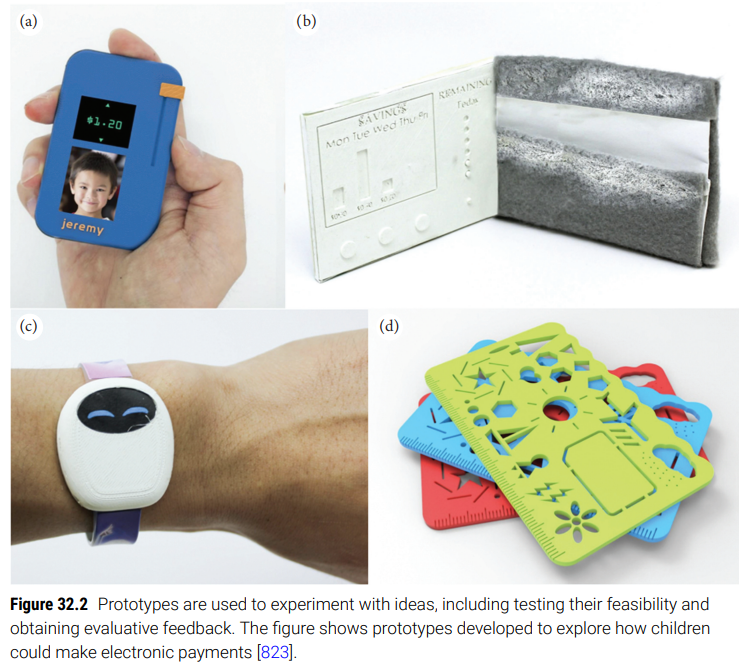
- Combined with metalworking, woodworking, and soft materials such as cardboard and textiles, new opportunities are emerging to build prototypes that are more tangible and can be integrated into everyday interactions in novel ways that are currently out of reach for mainstream computing.
- There are also rich internet communities that increase the accessibility of 3D printing and programming.
Prototyping Practices
- From an organizational point of view, prototyping is time- and resourceintensive. To address this challenge of prototyping in larger projects, here are a few suggested practices:
Testing Core Concepts
- Test core concepts quickly with low-fidelity prototypes, but try to increase the fidelity of prototypes.
- Do not leave prototyping at the low-fidelity level, as this could result in missing the opportunity to learn more deeply about function.
DIY
- Use maker tools and do-it-yourself design to produce prototypes within the team as opposed to outsourcing prototyping.
Augmentation
- Augment non-prototypable functions with videos and other types of media to help communicate the point.
- A prototype is not limited to a single object.
- It can include supplementary materials.
Spotting Issues
- Use higher-fidelity prototypes to conduct systems testing through simple tests.
- Spotting possible issues at this early point can produce savings downstream in the project.
Data-Based
- Use real-world data if possible when simulating how the system works with the prototype.
What do Prototypes Prototype?
- Houde et. al. made a popular model to help steer the creation of prototypes.
- They focus on creating prototypes with the goal of learning something from them and being able to test them.
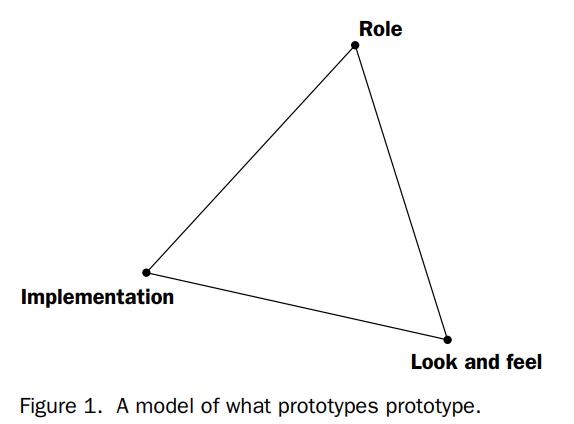
- The model has 3 dimensions, which are all equally important.
- The model is askew to emphasize how one aspect isn't more important than the others.
- A prototype is represented as a point within the area of the triangle.
- The closer it is to a corner, the more it targets that dimension.
Role
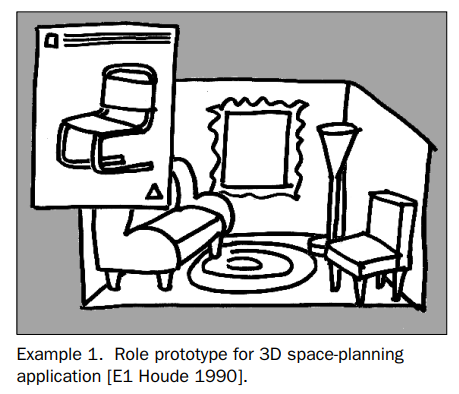
- Refers to questions about the function that an artifact serves in a user’s life.
- The way in which it is useful to them.
Look and Feel
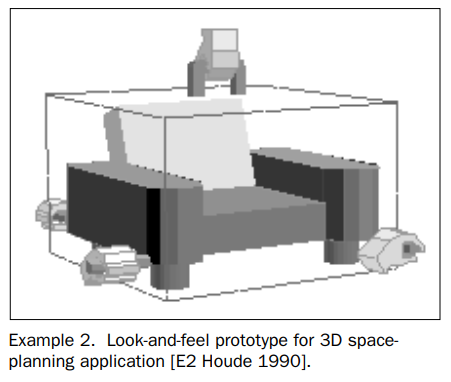
- Denotes questions about the concrete sensory experience of using an artifact
- What the user looks at, feels and hears while using it.
Implementation
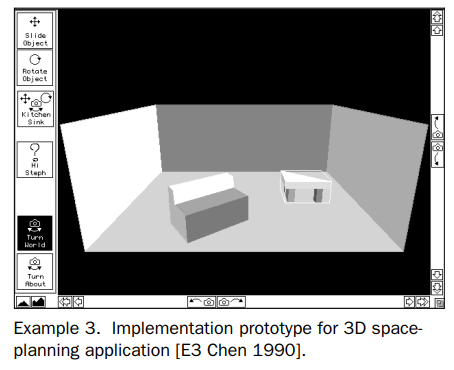
- Refers to questions about the techniques and components through which an artifact performs its function
- the “nuts and bolts” of how it actually works.
Integration
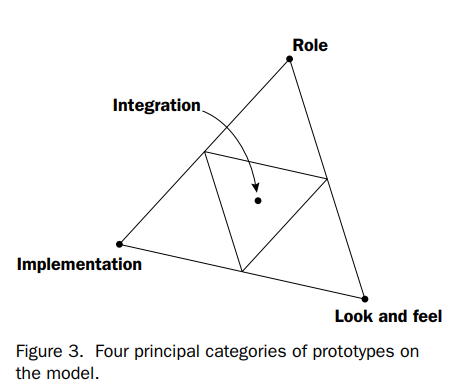
- A prototype that combines all 3 dimensions is a higher fidelity prototype that is close to the final product as all 3 dimensions are well-developed.
Other Prototyping Methods
Sketching
- There are many templates and free software available to support the development of low-fidelity prototypes.
- But sometimes it’s just easier to sketch the idea using a pencil and paper.
- Many people find it difficult to engage in sketching, though, because they are inhibited by the quality of their drawing.
- But sometimes it’s just easier to sketch the idea using a pencil and paper.
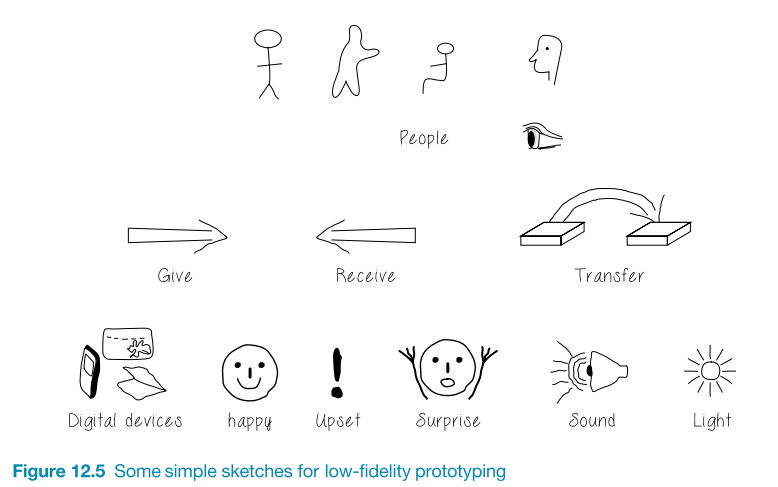
- However, sketches don't need to be detailed or high quality, they just need to be understandable.
- The use of symbols and icons can help get into the flow of sketching.
Index Cards
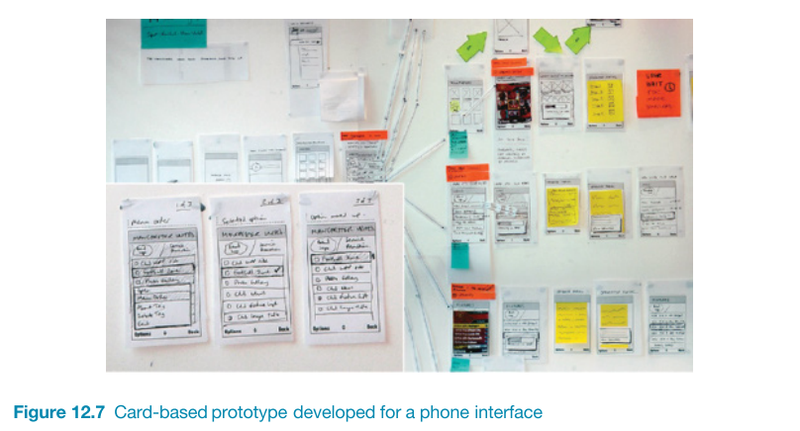
- Using index cards (small pieces of cardboard about 3×5 inches) or sticky notes is a successful and simple way to prototype an interaction, and it is used for developing a range of interactive products including websites and smartphone apps.
- Each card represents one element of the interaction, perhaps a screen or just an icon, menu, or dialog exchange.
- In evaluation studies, the participant can step through the cards, pretending to perform the task while interacting with the cards.
- This is also referred to as paper prototyping.
Wizard of Oz
- Another low-fidelity prototyping method called Wizard of Oz assumes that you have a software-based prototype.
- With this technique, the participant interacts with the software as though interacting with the product.
- In fact, however, a human operator simulates the software’s response to the user.
- Using this technique enables researchers to have control and more flexibility over the design of the interaction when conducting experiments, without having to program them initially.
- For example, deciding what a robot should say in response to participants’ queries and when to intervene if the robot is proactive.
- Many different kinds of responses can be tested this way.
- The Wizard of Oz also allows for adjustments to the prototype mid-testing.
Storyboarding
- A storyboard represents a sequence of actions or events that the user and the product go through to achieve a goal.
- A scenario is one story about how a product may be used to achieve that goal.
- A storyboard can be generated from a scenario by breaking the scenario into a series of steps that focus on interaction and creating one scene in the storyboard for each step.
- Producing a storyboard can be used to obtain feedback from stakeholders.
- It can also prompt the design team to consider the scenario and the product’s use in more detail.
Card Based Prototypes
- Card-based prototypes are commonly used to capture and explore elements of an interaction.
- Such as dialogue exchanges between the user and the product.
- The value of this kind of prototype lies in the fact that the interaction elements can be manipulated and moved around in order to simulate interaction or to explore a user’s end-to-end experience.
- This may be done as part of the evaluation or in conversations within the design team.
- If a storyboard that focuses on pages or screens has been developed, this can be translated almost directly into a card-based prototype and used in this way.
- But a scenario represents only one path through the product, and card-based prototypes may capture multiple paths.
- Another way to produce a card-based prototype is to generate one from a use case output from the requirements activity.
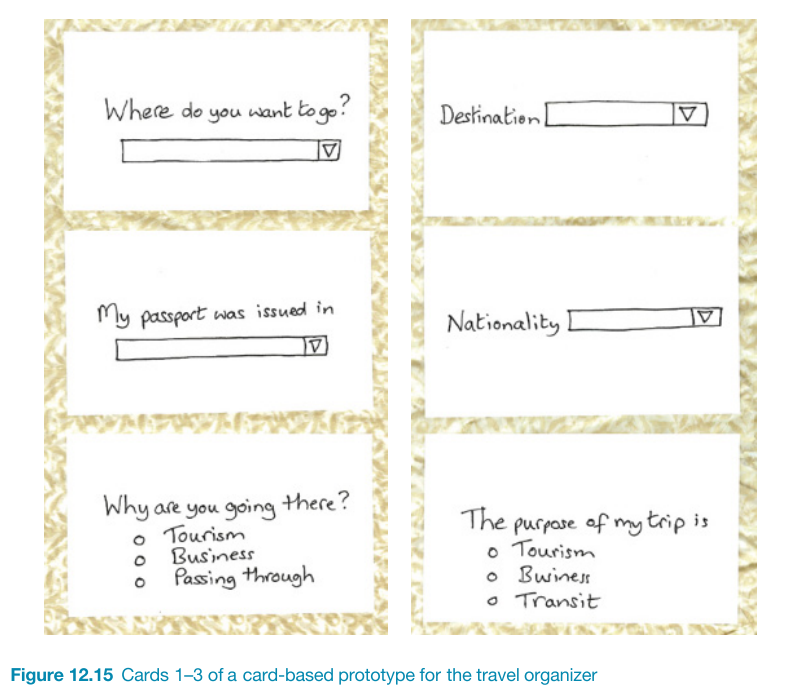
- The alternative courses, for example those dealing with error messages, would also each have a card, and the tone and information contained in the error message could be evaluated with stakeholders.
- These cards can be shown to stakeholders or fellow designers to get informal feedback.
- Cards can also be used to elaborate other aspects of the concrete design, such as icons and other interface elements.
- A set of card-based prototypes that cover a range of scenarios from beginning to end may be the basis of a more detailed prototype, or it may be used in conjunction with personas to explore the overall user experience.
Compromises in Prototyping
- By their very nature, prototypes involve compromises.
- The intention is to produce something quickly to test an aspect of the product.
Breadth of Functionality vs Depth
Breadth of Functionality
- Breadth of functionality often has to be traded off against depth.
- Breadth of functionality refers to the amount of different functions and uses a prototype has.
- However, this often results in compromising in detail.
- This is called horizontal prototyping.
Depth
- Depth refers to how detailed a function is.
- To include a lot of depth in one or more functions, the breadth of functionality often has to be sacrificed.
- This is called vertical prototyping.
Robustness vs Degree of Changeability
Robustness
- Making a prototype robust may lead to it being harder to change.
- This compromise may not be visible until something goes wrong.
Degree of Changeability
- To make prototypes easy to change and modify, they will likely be quite simplistic and lacking in some features.
Evolutionary vs Throwaway Prototyping
Evolutionary Prototyping
- A prototype evolves into the final product and is built with these engineering principles in mind.
- It is subject to rigorous testing from the get-go, meaning design and usability flaws aren't carried on.
- However it comes with the cost of time and money.
Throwaway Prototyping
- Throwaway prototyping makes quick and dirty prototypes that are intended as stepping stones towards the final design.
- The final design is thus built from scratch.
- These prototypes are flawed and not rigorously tested, and their flaws are used to inform the final design.
- It is important to decide on which strategy you want from the outset, as switching from throwaway to evolutionary prototyping and vice versa can incur financial and time costs.
Sources
- Recommended to read!!